

To track website leads, connect the traffic source and landing page to the completed form, call, chat or booking. Then verify that the lead reached its intended destination, created the correct CRM record, received an accountable owner and produced a follow-up record. Analytics can prove that an event fired; it cannot by itself prove that sales received the opportunity.
Map your own lead path
Use the free Lead Tracking & Revenue Path Map to identify assumed handoffs, missing owners and stages with no delivery verification. No login or email gate is required.
Start by defining what counts as a lead
A lead should represent a meaningful customer opportunity, not every interaction. Common lead actions include a qualified phone call, completed contact or quote form, booked appointment, consultation request, live-chat handoff or purchase inquiry.
Button clicks and page views can be useful diagnostic signals, but reporting them as finished leads creates inflated performance and hides delivery failures.
The five layers of end-to-end lead tracking
Preserve source and campaign information
Use consistent campaign parameters for paid media, email, partnerships and other controlled links. Store the initial source, campaign and landing page with the lead where practical. If a visitor crosses into a third-party booking tool or form platform, test whether that information survives the handoff.
Do not create a new naming system for every campaign manager. Define a simple standard for source, medium and campaign names so reporting does not split one channel into several accidental spellings.
Track forms correctly
Record the completed submission or confirmed success state, not merely a click on the submit button. Then compare the analytics event with the stored entry, notification and CRM record.
The guides on testing a contact form and missing form emails explain the operational checkpoints.
Track phone leads
Call tracking may use dedicated numbers, dynamic number insertion or manually tagged sources. Whatever method is used, test that each number reaches the correct business destination and that the source information is not preserved at the cost of routing reliability.
Define what qualifies as a lead call. Duration alone can be misleading because voicemail, hold time and wrong-number calls can distort the count. Connect the call record to disposition or CRM outcome when possible.
Track bookings and appointments
A booking click is not the same as a completed appointment request. Track the confirmed booking state, preserve source details through the scheduling tool and confirm that the appointment reaches the correct calendar, team and CRM.
Use the booking-system troubleshooting guide when appointments or confirmations disappear.
Use analytics events as measurement signals
Google Analytics events can measure specific interactions, and important events can be marked as key events. Use recommended event structures where they fit, verify implementation in real-time or debugging tools and avoid duplicating events across a tag manager, form script and thank-you page.
The guide on why conversion tracking is important covers event selection and verification.
Connect tracking to the CRM
The CRM should receive the lead source, key request details, timestamp and owner. That allows marketing reporting to move beyond “we generated 40 conversions” toward “these sources created qualified opportunities and customers.” The map is incomplete if the CRM record exists but nobody can show which person or queue became responsible.
If records are missing or routed incorrectly, use the CRM lead-delivery diagnostic.
Understand first-touch and last-touch reporting
First-touch reporting shows how the person initially discovered the business. Last-touch reporting shows the final measurable source before conversion. Neither model tells the complete story in every buying journey. For a small business, consistency and clear definitions are usually more valuable than pretending one attribution model has achieved philosophical truth.
Respect privacy and consent
Collect only the data needed for legitimate business and measurement purposes. Configure consent, retention, access and advertising features according to applicable law and platform requirements. Do not expose personal information in URLs or analytics parameters.
Run an end-to-end tracking test
- Open a tagged test link in a clean session.
- Visit the intended landing page.
- Complete the call, form or booking action.
- Confirm the analytics event and campaign data.
- Confirm the customer and business notifications.
- Find the CRM or calendar record.
- Verify the source, pipeline, owner and follow-up task.
Monitor the measurement and the outcome
Tracking can break while the lead still arrives, causing bad marketing decisions. The reverse can also happen: the event fires while the lead never reaches the team. AvertSignal is designed to monitor both the signal and the business handoff so one dashboard cannot declare victory while another system quietly loses the customer.
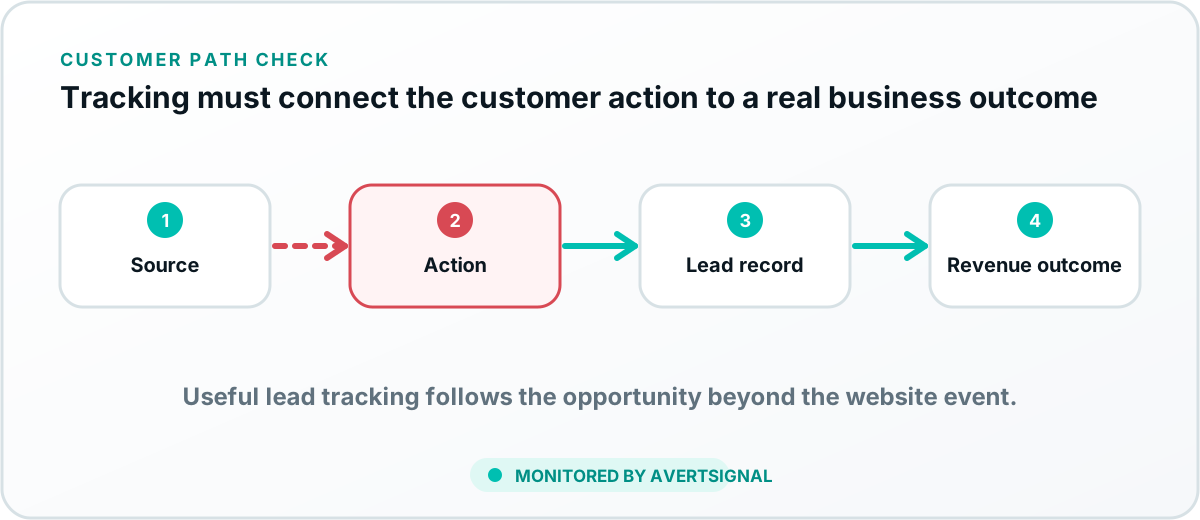
Document the complete path as source → landing page → customer action → delivery destination → CRM → assigned owner → follow-up → opportunity. Mark every stage Verified, Assumed or Unknown, then test the first uncertain handoff. The interactive revenue-path mapper creates that checklist without sending the entries to a provider.
Sources and further reading
From ad click to actual sale
Keep campaign source attached after the lead arrives.
This broad guide owns the full lead path. For the narrower source-persistence question, use the UTM-to-CRM Attribution Audit and the guide to pass campaign fields into the CRM. Preserve original source separately from latest source, then verify the same opportunity keeps the campaign through the closed outcome.