

To stop losing website leads, map every high-value path from source to owner, test calls, forms and bookings, verify tracking and notifications, confirm CRM delivery and routing, assign clear ownership, measure response and retest the path after every meaningful change.
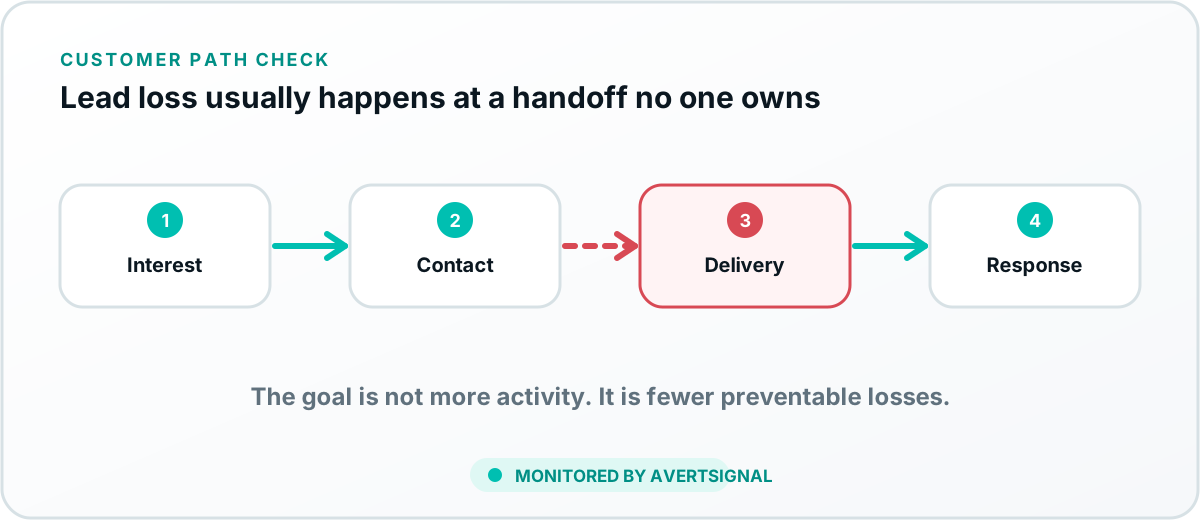
Map every important lead path
Document how each major lead type enters the business. Begin with the source and end with the person responsible for responding. Include the landing page, customer action, confirmation, notification, integration, CRM pipeline, owner and expected next step.
A business with multiple services or locations may have several distinct paths. Protect the paths that create the most valuable or urgent opportunities first.
Prioritize by business exposure
Protect visibility and entry points
Monitor the public information and links that prospects use to begin. Incorrect hours, phone numbers, location links or booking URLs can lose the lead before the website journey begins. The guide on why Google Business Profile information changes covers one major entry point.
Protect calls, forms and bookings
- Test public phone numbers and click-to-call links.
- Submit contact and quote forms end to end.
- Complete booking paths and verify calendar creation.
- Test mobile behavior and important conditional paths.
- Provide a useful alternate contact method during outages.
Use the contact-form test and the booking troubleshooting guide for those systems.
Protect measurement without confusing it with delivery
Monitor analytics events, advertising pixels, call attribution and campaign parameters. Then compare those signals with real inbox, calendar and CRM records. A missing event creates blind marketing decisions. A successful event with no delivered lead creates false confidence.
Protect notifications and receiving inboxes
Define where each lead should create an alert. Avoid relying on one employee’s mailbox. Use secondary visibility, queue ownership or dashboards where appropriate. Review spam filtering, inactive users and shared-inbox permissions.
Protect webhooks, automations and CRM delivery
Monitor authentication, mapping, required fields, duplicates, routing and assignment. A successful form does not guarantee that the CRM accepted the record. Use the CRM delivery guide when the final record is missing.
Give every lead and every failure an owner
Define who responds to the customer and who repairs each system. Website, marketing, phone, CRM and operations vendors should have clear boundaries. A failure without an owner becomes a group discussion. A lead without an owner becomes a future competitor’s customer.
Measure response after delivery
- Time to first response.
- Number and type of contact attempts.
- Appointment or qualification outcome.
- Reason for disqualification or loss.
- Escalation of uncontacted high-value leads.
This separates system health from sales-process performance. Both matter, but they require different fixes.
Retest after every meaningful change
Website, email, call tracking, booking, analytics and CRM changes should include a post-change lead-path test. The test should use the public path and verify downstream evidence. “The page looks okay” is not a lead-delivery test.
Use a short weekly protection review
- Review unexpected changes in traffic, actions and delivered leads.
- Check open incidents and unverified repairs.
- Review failed notifications and integration errors.
- Sample recent leads for correct source, routing and ownership.
- Retest the highest-risk path when evidence is uncertain.
How AvertSignal helps prevent lead loss
AvertSignal is designed to monitor the connected acquisition path, translate failures into business impact, assign responsibility and verify recovery. That gives the owner one view across systems without pretending to replace every specialist platform.
The objective
Make it difficult for a lead to disappear silently and easy to prove where the path failed when something goes wrong.
Map, then diagnose
Use the right tool for the question.
Use the Revenue Path Map to document the full system from source to outcome. When a known path appears to be failing, use the CRM Lead Delivery Troubleshooter to prioritize evidence checks before, inside and after the CRM.