

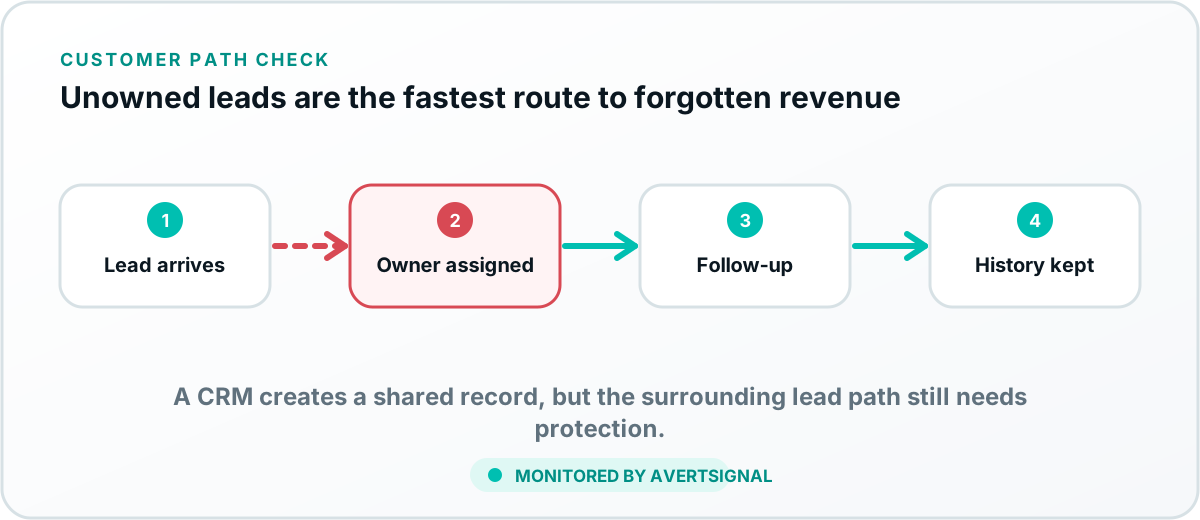
A CRM is important for a small business because it creates a shared record of leads and customers, assigns responsibility, preserves communication history, supports consistent follow-up and makes the sales pipeline visible. It reduces the chance that opportunities are forgotten or trapped in one employee’s inbox. It does not, however, protect leads that fail before reaching the CRM.
What a CRM is
CRM stands for customer relationship management. In practical small-business terms, a CRM is the system where the team records who a prospect is, how the person found the business, what they asked for, who owns the follow-up and what happened next.
A basic CRM may store contacts, notes, tasks and deal stages. A more advanced system may capture forms, emails, calls, appointments, proposals, marketing sources, service history and automation. The feature list matters less than whether the system creates a reliable shared workflow.
Why small businesses need a shared customer record
Small teams often begin with personal email, text messages, notebooks and spreadsheets. That can work while volume is low and one person remembers everything. It fails as soon as inquiries arrive through multiple channels or more than one employee touches the customer.
CRM versus a spreadsheet
A spreadsheet is useful for a simple static list. A CRM is designed for ongoing relationships and activity. It can capture records automatically, preserve communication history, assign owners, trigger tasks, manage permissions and report on stages.
The spreadsheet usually becomes a problem when the team maintains multiple copies, cannot tell which version is current, forgets follow-up dates or has no reliable link between a row and the actual conversation.
Signs your business needs a CRM
- Leads arrive through several inboxes, phone numbers, forms or booking tools.
- Follow-up depends on someone remembering to do it.
- Two people contact the same prospect, or nobody does.
- The owner cannot see every open opportunity without asking the team.
- Customer history disappears when an employee is absent.
- Marketing reports leads, but the business cannot connect them to sales outcomes.
- Growth is creating more administrative confusion than revenue clarity.
What a CRM cannot protect by itself
A CRM cannot organize a lead it never receives. Website forms, phone systems, booking tools, notification services, webhooks and integrations sit upstream. A form can show success while the CRM rejects the record. A call can be counted as a marketing conversion while it routes to the wrong location.
That is why CRM adoption and lead-delivery monitoring belong together. One manages the record after arrival. The other protects the handoff that creates the record.
What information should a small-business CRM store?
- Contact information and preferred communication channel.
- Original source, campaign and landing page where practical.
- Requested service, product, location or appointment.
- Conversation and activity history.
- Assigned owner and next follow-up date.
- Pipeline stage and reason for the current status.
- Outcome, revenue and customer relationship history.
Collect only what the business has a legitimate reason to use and protect access appropriately. More data is not automatically better. A neglected database containing sensitive information is merely an expensive liability with colorful charts.
How to choose a CRM for a small business
Begin with the daily workflow, not the longest feature list. The best CRM is the one the team will actually use correctly.
- Map how a lead enters, who responds and how ownership changes.
- List essential integrations with forms, email, phone, booking and accounting systems.
- Test how quickly a new employee can find and update a lead.
- Review pricing as users, contacts, automation and reporting grow.
- Confirm export, permissions, security and support options.
- Run controlled leads through the full workflow before committing.
Common CRM implementation mistakes
- Buying software before defining the lead process.
- Creating too many stages or required fields.
- Importing bad data without cleanup.
- Failing to define ownership and response expectations.
- Connecting forms and automations without testing the final record.
- Measuring activity while ignoring whether customers receive a response.
How a CRM fits into AvertSignal’s customer-acquisition path
The CRM is usually one of the final systems in the path. AvertSignal is designed to watch what happens before and around it: discovery, the website, customer actions, tracking, notifications, integrations and routing. If a lead fails to reach the CRM, the issue should not hide behind a healthy CRM login screen.
For the technical diagnostic, read why website leads are not reaching your CRM. For source and attribution planning, see how to track website leads end to end.
The simplest useful CRM test
Submit one controlled lead through the public customer path and confirm that the right record, source, pipeline, owner and notification appear. Repeat that test after meaningful changes.