

Website leads may fail to reach a CRM because of expired credentials, failed webhooks, paused automations, invalid field mappings, required-field validation, duplicate rules, permission changes, rate limits or routing conditions. Trace one unique test lead from the public form or booking through the integration logs to the final CRM record and owner.
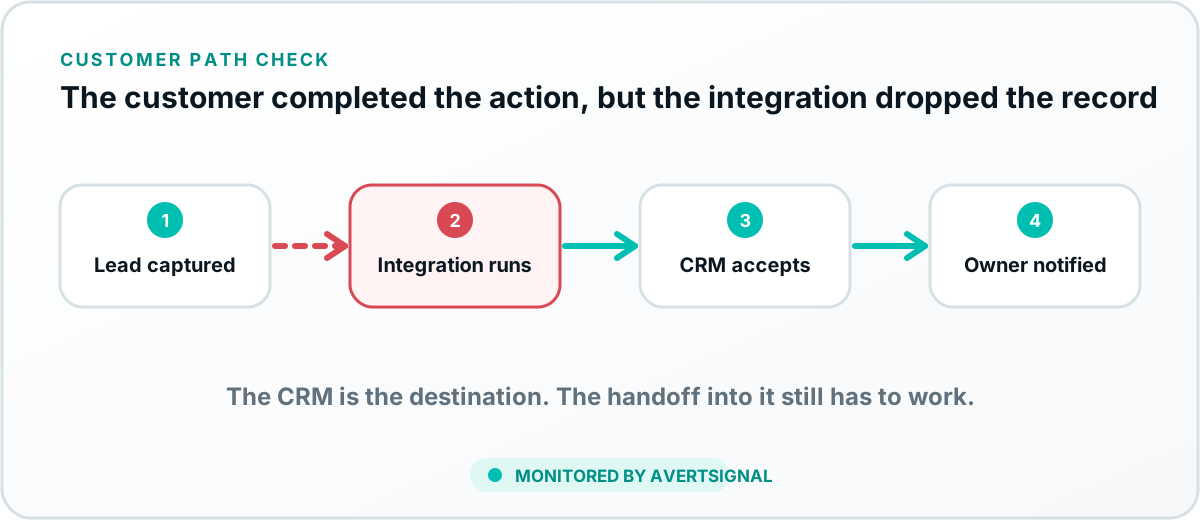
Understand the lead-delivery chain
A website lead may pass through a form provider, website database, email service, automation platform, webhook, CRM API, duplicate check, pipeline rule and assignment workflow. The website can display success even when a later system rejects the record.
Map the actual path before diagnosing it. Otherwise the website team checks the website, the CRM team checks the CRM and everyone proudly reports that their individual screen is green.
Common reasons leads do not reach the CRM
Trace one controlled lead
- Submit a unique name, email and message through the public form or booking path.
- Confirm the customer-facing success state.
- Find the entry in the form or website storage.
- Review the webhook or automation execution.
- Inspect the CRM response and error details.
- Search every relevant CRM pipeline, owner and duplicate record.
- Confirm the final owner and notification.
Check field mapping and data types
Common problems include free text sent to a dropdown, a country or state value that does not match accepted options, phone formatting, a missing consent field or a service name that changed in one system but not the other.
Test the values that create different routing and validation paths, not only a perfectly generic submission.
Understand duplicate behavior
A returning prospect may update an existing contact without creating a new lead or task. A duplicate rule may reject the record. Search by email, phone and company, then inspect related activity and ownership.
Verify pipeline and ownership rules
The record may exist in the wrong location or pipeline. Review geographic, service, lead-source, round-robin and availability rules. The guide on what lead routing is explains the difference between routing and assignment.
Confirm the owner was alerted
A CRM record with no task or notification can still become an invisible lead. Verify the correct employee, queue or team received responsibility. Check inactive users, vacation rules, notification preferences and after-hours processes.
Create a delivery fallback
- Store form entries securely where appropriate.
- Send a secondary operational notification.
- Alert when automation fails repeatedly.
- Review unassigned records and failed tasks.
- Document the manual recovery process.
Why CRM availability is not enough
The CRM can be online and functioning while the external lead path is broken. The login page, existing records and internal workflows may all be healthy. The failure lives at the boundary between systems.
This is the core reason AvertSignal treats the customer acquisition path as a connected system rather than a collection of independent vendors.
Verify the repair with the same public path
Repeat the exact source, form values and condition that failed. Confirm the record, source fields, pipeline, owner and alert. Do not verify only by manually creating a CRM record or replaying an administrator test that bypasses the website.
Related lead-delivery guides
Read why a CRM is important for a small business for the value after the record arrives, and how to track leads end to end for source and outcome reporting.
CRM delivery diagnostic
Start with the last handoff you can prove.
A website success message does not prove that the CRM accepted a record. Trace one controlled lead through server acceptance, webhook or notification evidence, record creation, duplicate handling, pipeline, owner and follow-up. If the record exists but sales cannot see it, the likely problem has moved from delivery into routing or access.
Troubleshoot CRM lead delivery
The result prioritizes what to verify; it does not connect to or inspect your CRM.
Record delivery versus source persistence
Did the lead disappear, or only its source?
If the CRM record is absent, trace delivery and routing. If the record exists but source is blank, wrong, or overwritten, follow the CRM lead-source diagnostic and audit the campaign-to-revenue path.