

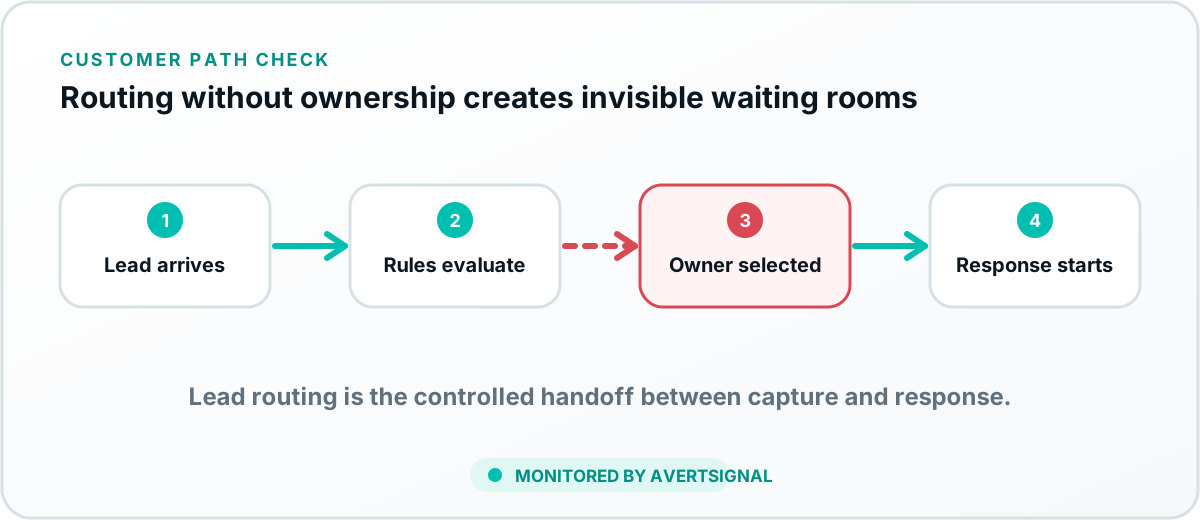
Lead routing is the process of directing a new inquiry to the appropriate team, location, pipeline or workflow using rules such as geography, service, product, availability or customer type. Lead assignment then names the specific person responsible for responding.
Lead routing versus lead assignment
Routing selects the correct destination. Assignment selects the individual owner. A multi-location home-services company might route a lead by ZIP code and requested service, then assign it to an available representative within that territory.
Keeping the terms separate helps diagnose failures. The lead may reach the correct regional pipeline but still have no owner. Or it may be assigned promptly to the wrong location.
Why lead routing matters
- Customers reach someone who can actually help.
- Response begins sooner.
- Locations and departments receive the correct opportunities.
- High-value or urgent inquiries can be prioritized.
- Ownership becomes visible instead of assumed.
- Marketing performance can be connected to operational outcomes.
Common lead-routing methods
Where routing can happen
Routing may occur inside a form, call system, booking platform, automation service or CRM. Complex paths can contain several routing layers. The website chooses a location, the integration selects a pipeline and the CRM assigns an owner.
Every additional layer should have a documented rule and fallback.
How lead routing breaks
- Territories, locations or services change without updating rules.
- Employees leave while assignments still point to their accounts.
- Required fields are blank or contain new values.
- Forms and CRMs use different names for the same location or service.
- Round-robin pools contain inactive users.
- After-hours and overflow rules send leads to unmonitored queues.
- Duplicate handling prevents a new inquiry from creating a task.
Signs lead routing is broken
Watch for leads with no owner, unusually long response times, one representative receiving too many leads, wrong-location complaints, records hidden in unexpected pipelines and marketing sources that appear to generate conversions but no visible sales activity.
How to test lead routing
- List the major rules that create different destinations.
- Submit a unique test lead for each important condition.
- Verify the destination pipeline, team, location and owner.
- Confirm the owner receives a notification or task.
- Test fallback behavior when the normal owner is unavailable.
- Repeat after staff, territory, service or form changes.
Create simple routing governance
Assign one owner for the routing design and one operational owner for each destination. Document rule changes, effective dates and fallback behavior. Avoid burying business-critical routing across several undocumented automation accounts.
How the CRM supports routing
A CRM can centralize pipelines, ownership, tasks and reporting. It still depends on accurate upstream data and working integrations. Read why a CRM is important and why records fail to reach the CRM.
How AvertSignal protects lead routing
AvertSignal is designed to verify that a controlled lead reaches the expected system and owner, then keep the issue open when the routing path is impaired or unknown. That turns routing from invisible configuration into a monitored customer-acquisition control.
Routing and assignment failures
Why do CRM leads remain unassigned?
A record may miss every rule, depend on a blank or renamed field, point to an inactive employee, land in a queue nobody watches, bypass automation as a duplicate or receive an owner without a follow-up task. Geographic and round-robin rules can also fail when eligibility or territory data is stale.
Routing chooses a destination; assignment names a person. Small teams can use one explicit intake owner and a backup instead of enterprise routing. Whatever the model, test representative conditions and confirm the resulting queue, owner, notification and next action.
Salesforce's official lead assignment documentation shows that rule order, conditions and assignee are separate controls.